Free money is never truly free—but that doesn’t mean it’s never worth getting. So, when I saw that Sezzle was offering me $20 in something called “Sezzle Spend,” I was skeptical at first.
I don’t know about you, but… I’m a sucker for “free.” Free pizzas from Domino’s after a certain number of orders. Free shipping when I cross a certain price threshold. Free coffees from my favorite spot when I fill out my stamp card. And it’s smart for businesses, too—according to Capital One Shopping Research, 86% of e-shoppers are more likely to become a first-time buyer for a business if there’s a coupon involved.
So I went for it anyway and grabbed the reward, hoping to answer these questions: How does Sezzle Spend work? Is it really a win-win? And is it the right move for you? Let’s take a look.
Key Takeaways
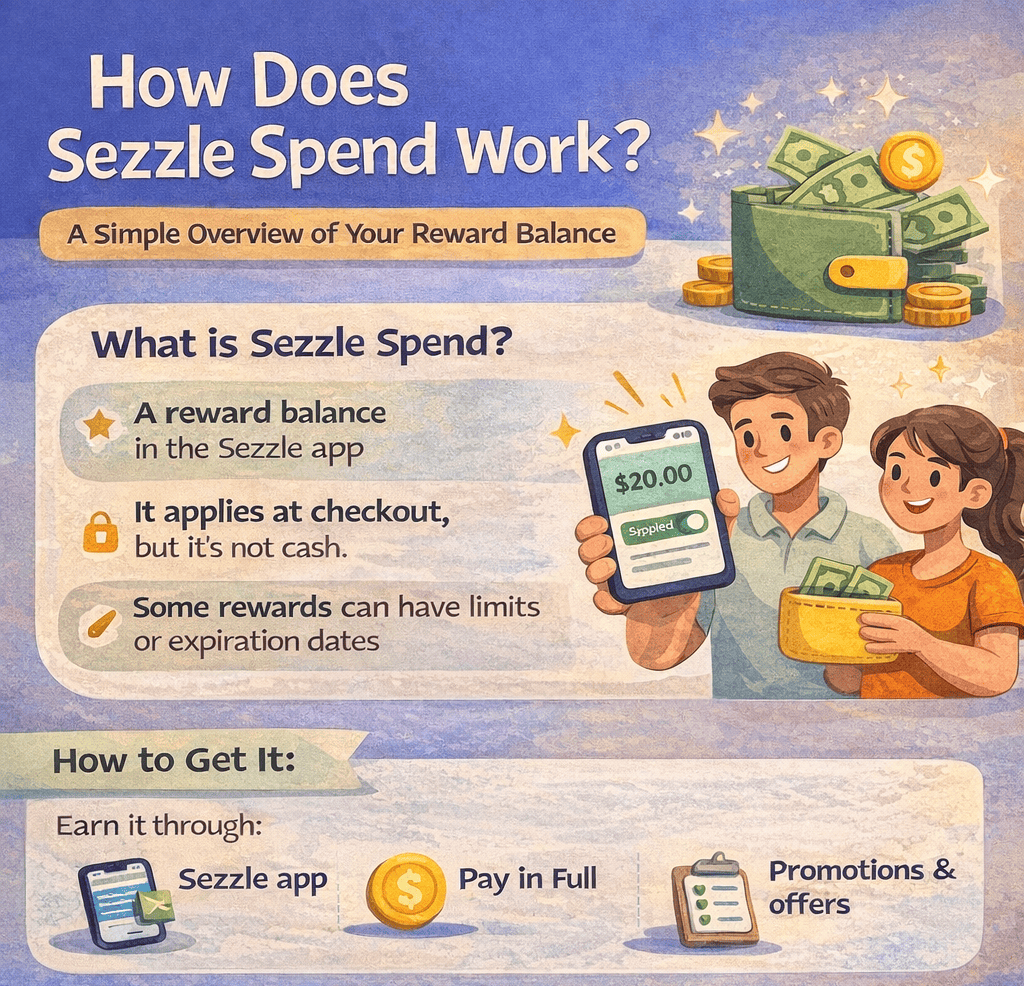
- It’s A Reward Balance: Sezzle Spend is a reward balance in the Sezzle app that can help lower the cost of an eligible purchase.
- You Don’t Cash It Out: Sezzle Spend is not the same as cash and cannot be transferred to your bank account.
- Some Rewards Have Limits: Certain Sezzle Spend offers only work at specific brands, while others can be used more broadly.
- It Applies At Checkout: If eligible, Sezzle Spend can be applied during checkout or through the Sezzle Virtual Card flow.
- Expiration Dates Matter: Sezzle Spend may expire, so it’s worth checking the app to see how much you have and when it needs to be used.
What Sezzle Spend Actually Is
Sezzle describes Sezzle Spend as one of the ways it rewards loyal customers. In simple terms, it’s a balance in your Sezzle account that you can use toward a future Sezzle purchase.
That means Sezzle Spend is not a:
- Cash withdrawal
- Credit card
- Separate financing product
- Replacement for your regular payment method
Instead, it’s a reward amount that lives inside the Sezzle app and can be applied when you make an eligible purchase through Sezzle.
I think the easiest way to think about it is like store credit, except it lives inside the Sezzle ecosystem. It helps reduce what you pay, but it doesn’t turn into cash you can send to your bank account or spend however you want.
How You Can Earn Sezzle Spend
According to Sezzle’s help center, Sezzle Spend is often awarded when shoppers use the Pay in Full feature or participate in promotions. That’s the main official guidance Sezzle gives on how people receive it.
So if you suddenly see Sezzle Spend in your account, it usually did not appear by magic. It was likely tied to some activity, offer, or reward inside the Sezzle app.
Sezzle also notes that if your Sezzle Spend was awarded through a promotion, it may take up to 48 hours to appear in your account.
That’s worth knowing, because if you’re expecting it to show up instantly and it doesn’t, the app may not be broken. It may just still be processing.
Where to Find Sezzle Spend in the App
Sezzle gives users a couple of ways to check their Sezzle Spend balance inside the app.
Find it by:
- Open the Earn tab and tap the Sezzle Spend icon
- Tap your initial in the upper-left corner
- Select Sezzle Spend under “Benefits”
That’s where you can check your available balance and see details about how it can be used.
If you’re trying to use Sezzle Spend, I’d start there before shopping. It’s a lot easier than assuming you have a reward waiting and then getting to checkout only to find out your balance is smaller than expected. That’s a quick way to go from “nice little perk” to “wow, I really built a whole fantasy around ten dollars.”
How Sezzle Spend Works at Checkout
This is the part most shoppers actually care about: what happens when you use it?
Sezzle says your Sezzle Spend balance can be used on your next Sezzle purchase. When you shop online and choose Sezzle at checkout, you’ll be redirected to Sezzle’s payment gateway. If you have eligible Sezzle Spend available, it will appear as a payment option that you can toggle on.
Once applied, Sezzle says it reduces your total purchase amount, starting with the final installment on your payment plan.
That’s a key detail. It doesn’t necessarily reduce your first payment first. Instead, it starts at the end of the plan and works backward if there’s still reward money left to apply.
So the process usually looks like this:
- You shop as normal
- Choose Sezzle at checkout
- Get redirected to the Sezzle payment screen
- Turn on your available Sezzle Spend
- Complete the order
- Sezzle adjusts your payment plan based on the amount applied
If your Sezzle Spend is larger than your final installment, Sezzle says the remaining amount rolls backward to earlier payments until it’s fully used.
How It Works With the Sezzle Virtual Card
Sezzle Spend can also work when you’re shopping through a merchant that uses the Sezzle Virtual Card instead of a direct Sezzle checkout integration.
In that case, Sezzle says you’ll see the option to toggle on your available Sezzle Spend during the purchase request flow in the app. If you use it, the reward gets applied to the order and reduces the amount owed, again starting from the final installment of the payment plan.
For purchases paid in full with the Sezzle Virtual Card, Sezzle says Sezzle Spend is automatically applied.
That means the feature can work a little differently depending on how you’re shopping:
- At a direct Sezzle checkout, you may toggle it on in the payment gateway
- With the Virtual Card, you may toggle it on during the purchase request
- For some paid-in-full Virtual Card orders, it may apply automatically
The big picture is the same, though. Sezzle Spend lowers what you owe on an eligible purchase.
Is Sezzle Spend Really a Win-Win?
Honestly? I think it can be.
From the shopper side, Sezzle Spend is pretty easy to like. If you already planned to buy something, getting a little reward balance to knock down the cost is a real perk. It can make a purchase feel a little easier on your budget, or just make checkout feel better than it would have otherwise.
From Sezzle’s side, it also makes sense. A feature like this gives people a reason to open the app, check their balance, and use Sezzle again. That is good for the company, but that does not automatically make it bad for you. A lot of rewards programs work exactly like that: the customer gets extra value, and the company gets another chance to keep them engaged.
That is why Sezzle Spend can feel like a win-win when it works the way it is supposed to. You save a little money on something you were probably going to buy anyway, and Sezzle keeps you in its ecosystem a little longer.
I think Sezzle Spend is most useful when:
- You were already going to make the purchase
- The reward works at a merchant you actually use
- The balance is close to expiring
- You know how it changes the total cost or payment plan
Used that way, Sezzle Spend feels less like a trick and more like a solid little bonus. It is not huge, but if you use it on something you already wanted, it can absolutely be worth it.
Final Thoughts
Sezzle Spend is a reward balance inside the Sezzle app that can be used to lower the cost of eligible Sezzle purchases. It’s not cash, it’s not a new loan, and it’s not the same as Sezzle’s installment plans. Instead, it works like an in-app credit that can be applied during checkout or through the Virtual Card flow, depending on how you shop.
If you have Sezzle Spend in your account, the smartest move is to check the amount, where it can be used, and when it expires before you make a purchase. That way, you can use it on purpose instead of forgetting it exists until it vanishes into the digital void. Used thoughtfully, Sezzle Spend is a pretty simple perk: it helps you pay less, which is something just about everyone can get behind.
FAQs
Sezzle Spend is a reward balance in the Sezzle app that can be used toward eligible Sezzle purchases. I think of it as in-app credit rather than cash.
Sezzle says it may award Sezzle Spend through promotions or when shoppers use certain features like Pay in Full. If it comes from a promotion, it may take up to 48 hours to appear in your account.
According to Sezzle’s help documentation, you can find Sezzle Spend through the Earn tab or in the Benefits section of your account menu. That’s also where you can check usage details and expiration dates.
Not always. Some Sezzle Spend can only be used with specific brands, while other balances are labeled Spend Anywhere and can be used more broadly with merchants that accept Sezzle.
Yes, it can. Sezzle says expiration dates vary depending on how the reward was issued, so I’d always check the app before planning to use it.