I’ll be honest. I hate shopping in stores. Standing in line, feeling rushed at the register, and trying to decide whether I actually want something while people wait behind me always makes me anxious.
Apparently, I’m not the only one, since Forbes stats show that about 91% of shoppers now make purchases on their phones. Bottom line: people prefer quick, flexible ways to pay.
That shift is one reason buy now, pay later apps like Sezzle have become so popular. Most people are familiar with using BNPL online, but using it in a physical store works a little differently. If you’re wondering whether Sezzle works at the register and how the process actually works, here’s what to know before you head to checkout.
Key Takeaways
- In-Store Use Starts In The App: To use Sezzle in stores, you usually need to open the app and start the purchase there first.
- The Virtual Card Does the Heavy Lifting: Sezzle’s Virtual Card enables most in-store purchases at checkout.
- Approval Still Matters: Even in a physical store, your purchase usually has to be approved before you can use Sezzle.
- Your Payment Plan Depends On The Purchase: Sezzle may offer different payment options depending on the product, amount, and approval terms.
- A Little Prep Makes It Easier: Having the app ready, knowing your total, and bringing a backup payment method can make checkout much smoother.
Can You Use Sezzle in Stores?
Yes, you can use Sezzle in stores. According to Sezzle, shoppers can use Sezzle in-store through its Virtual Card. On its “How It Works” page, Sezzle says shoppers can use the Virtual Card in-store after making a purchase request in the app. The app walks you through entering the amount you plan to spend, and if approved, you can use the card at the merchant checkout or payment terminal.
That’s the key difference. In a regular online checkout, the merchant may already have Sezzle built in. In a physical store, you usually need to set things up through the Sezzle app first.
So yes, it works in stores—but a little prep makes the whole thing much smoother.
How Sezzle In-Store Payments Work
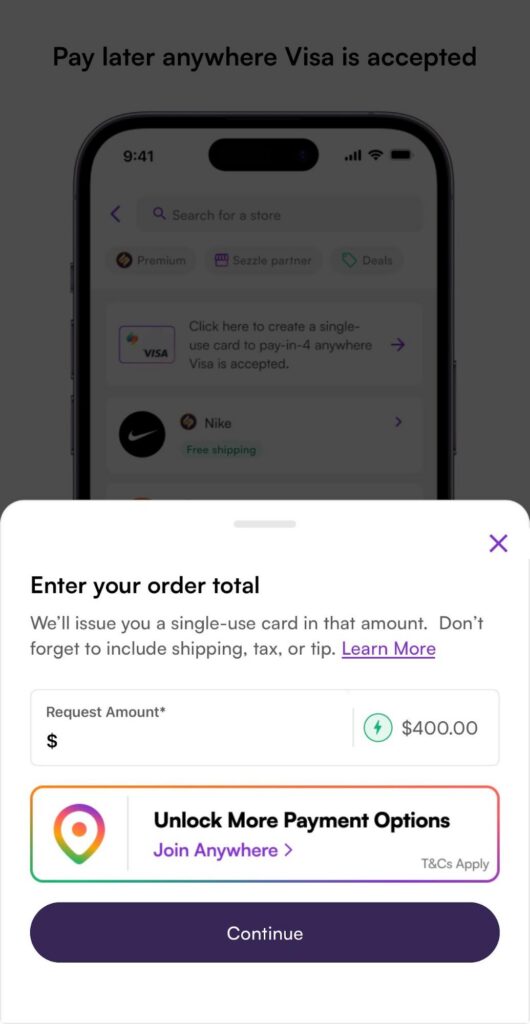
In-store Sezzle purchases usually run through the app, not through the cashier selecting a special “Sezzle” option.
Here’s the basic idea:
- Open the Sezzle app
- Go to the Virtual Card section
- Request a purchase amount
- Wait for approval
- Use the approved virtual card at checkout
If approved, you can then pay using the Sezzle Virtual Card at the register. Sezzle says the card can be used at merchant checkout or a terminal, which is what makes in-store use possible.
I think the easiest way to picture it is this: instead of the store offering Sezzle directly, you’re bringing Sezzle with you through the app.
Step-by-Step: How to Use Sezzle in Stores
If you want the simple version, here’s how the process usually works.
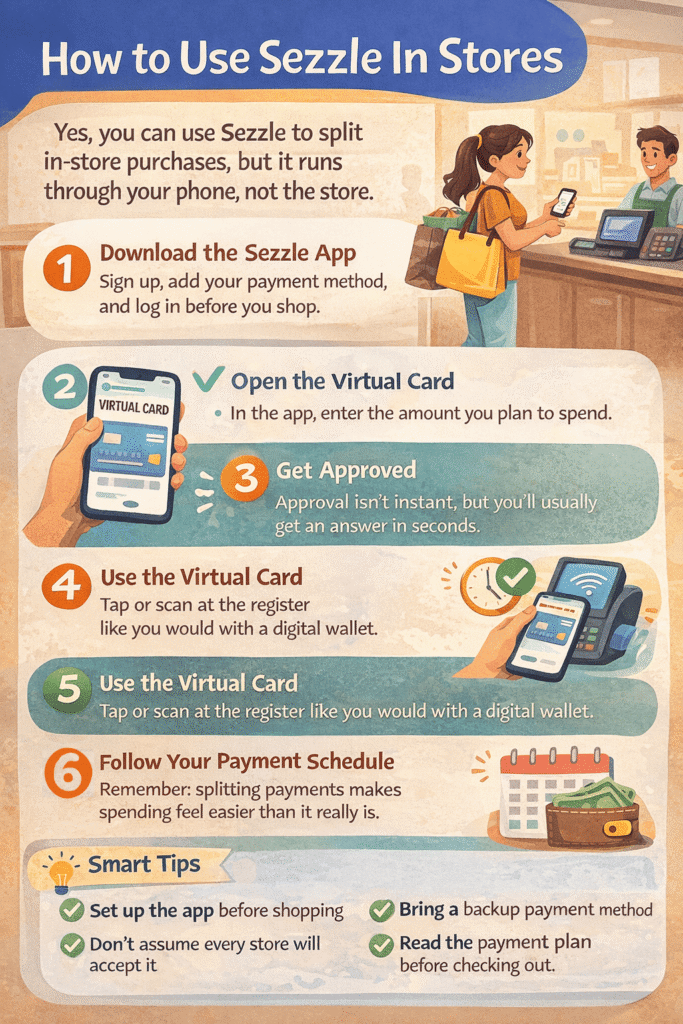
1. Download the Sezzle App and Log In
Before you can use Sezzle in stores, you’ll need an active Sezzle account and access to the app. If you haven’t signed up yet, do that first and make sure your payment method is linked.
This is not something you want to figure out while a cashier is waiting and the person behind you is somehow already breathing down your neck.
2. Open the Virtual Card Feature
Sezzle explains that in-store shopping works through the Virtual Card. Inside the app, go to that section and start a purchase request.
This card is what lets you use Sezzle for in-person shopping instead of relying on a retailer’s website checkout.
3. Enter the Amount You Plan to Spend
Sezzle says you’ll be asked to enter the amount you expect to spend and then continue through the request process.
Try to enter a realistic number. If your total ends up being higher than expected, that can create problems at the register. It’s usually better to include a little room for tax so you’re not awkwardly recalculating your entire life at the payment terminal.
4. Wait for Approval
Like other Sezzle purchases, in-store use is subject to approval. If approved, Sezzle gives you access to the amount requested through the Virtual Card.
Approval is not guaranteed every single time, so it’s smart to have a backup payment method just in case. That doesn’t mean Sezzle is unreliable. It just means approval decisions still apply, even in person.
5. Use the Virtual Card at Checkout
Once approved, use the Virtual Card at the store’s payment terminal or merchant checkout. Sezzle says that’s how the in-store purchase is completed.
Depending on your phone setup, this may feel similar to using a digital wallet. The exact checkout experience can vary by store and device, so it helps to open everything before you get to the register.
Where Can You Use Sezzle in Stores?
Sezzle says its Virtual Card can be used in-store, and broader access depends on where the card is accepted. In general, that means your experience may depend on the store, terminal, and card compatibility.
Sezzle also promotes expanded access through products like Sezzle Anywhere, which is designed to let users shop anywhere Visa is accepted using the Sezzle Virtual Card. Based on Sezzle’s own materials, that means in-store flexibility may be broader than just partner retailers, depending on your account access and product setup.
So the short version is:
- Some retailers partner directly with Sezzle
- Other in-store purchases may work through the Virtual Card
- Access can depend on the Sezzle product you’re using
If you want the smoothest experience, check the app before you shop rather than assuming every register will work the same way.
What Payment Plan Will You Get?
That depends on the Sezzle product and the purchase you’re approved for.
Sezzle offers multiple payment options, including:
- Pay in 2
- Pay in 4
- Pay in 5
- Pay Monthly for some longer-term financing purchases
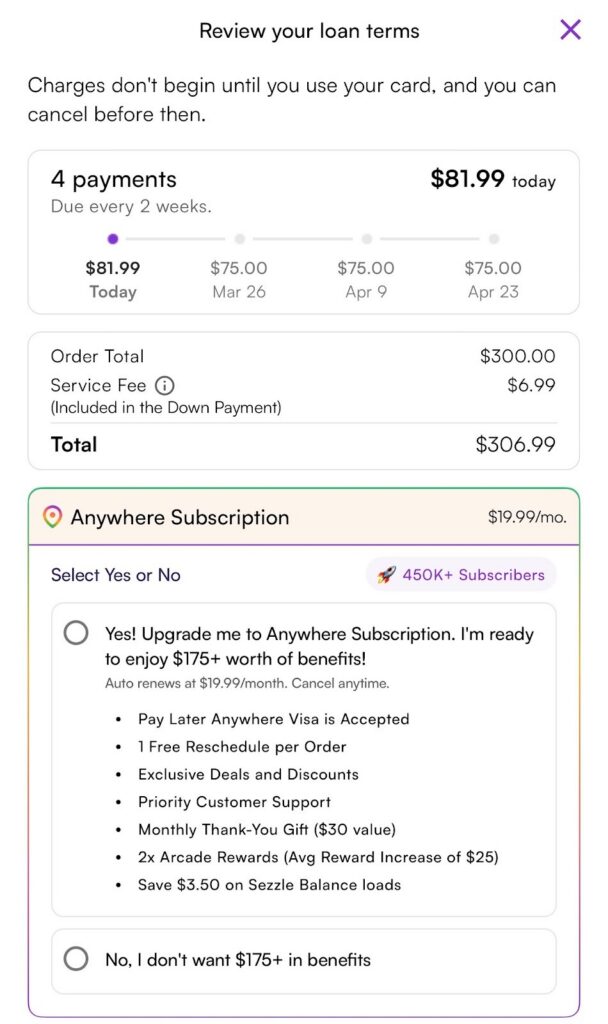
For many shoppers, the familiar structure is a split-payment plan over several weeks. Sezzle’s help center says Pay in 4 typically means 25% due upfront and the remaining three payments every two weeks. It also says Pay in 5 means 20% down, followed by four more payments every two weeks.
The exact plan offered may vary by product, purchase, or approval terms, so it’s smart to review the payment breakdown before you finalize the purchase. Some options are only for Sezzle Anywhere users.
Tips for Using Sezzle in Stores Without Stress
Using Sezzle in stores is easier when you do a little prep first.
Here are a few simple tips:
- Set up the app before shopping
- Make sure your payment method is current
- Enter enough to cover tax
- Review the payment schedule before checking out
- Bring a backup payment option
- Don’t assume every purchase will be approved
I’d also recommend checking your internet connection before you get in line. Nothing makes a simple purchase feel dramatic quite like staring at a loading screen while the cashier politely waits, and you pretend you are very calm.
Is It Safe to Use Sezzle in Stores?
In general, yes. Sezzle is a legitimate payment platform, and its help center says it meets PCI Level 1 compliance standards, which is the highest level of PCI certification. That’s a good sign that it takes payment security seriously.
Still, smart shopping rules always apply. Make sure you’re using the official Sezzle app, double-check the amount before approving a purchase, and keep track of your payment dates after the sale is complete.
The biggest risk for most shoppers isn’t that Sezzle will trick them at the register. It’s that splitting up payments can make spending feel easier than it really is. So use it as a convenience tool, not an excuse to buy things your budget can’t comfortably handle.
Final Thoughts
Using Sezzle in stores is pretty simple once you know the setup. Instead of selecting Sezzle directly at a website checkout, you’ll usually go through the Sezzle app, request a purchase amount, and use the Virtual Card at the register if you’re approved. That extra step can make in-store shopping feel a little different at first, but it’s not difficult once you’ve done it once.
If you’re planning to use Sezzle in person, the best move is to prepare before you get to checkout. Have the app ready, know your total, and review the payment terms so there are no surprises later. Used thoughtfully, Sezzle can be a convenient way to break up an in-store purchase without making the experience complicated.
FAQs
Yes, Sezzle can be used in physical stores. In most cases, you’ll need to go through the Sezzle app and use its Virtual Card to complete the purchase.
You usually open the app, request the amount you want to spend, wait for approval, and then use the Virtual Card at checkout. The exact process can vary a little by store and device.
Not every store will work the same way. Some purchases may depend on whether the store accepts the type of payment used through Sezzle’s Virtual Card.
Yes, it can. Just like online purchases, in-store Sezzle transactions are still subject to approval, so it’s smart to have another payment option with you.
Make sure your app is set up, your payment method is current, and you know your total before heading to checkout. That can help the process go a lot more smoothly.