
The answer isn’t exactly what I wanted to hear: it depends. That said, I still think it’s worth looking at where you can use Sezzle for bill payments, where you can’t, and how to make the most of Sezzle’s services.
Key Takeaways
- Some Bills May Qualify: Sezzle can work for certain utility, phone, internet, and service payments when the provider accepts the virtual card.
- Virtual Cards Add Flexibility: Eligible users may be able to create a Sezzle virtual card and enter it like a regular Visa payment.
- Payments Become More Manageable: Splitting an eligible bill into installments can make a large one-time expense easier to fit into your budget.
- One-Time Payments Work Best: Sezzle is generally more useful for occasional bills than for recurring automatic payments.
- Check the Full Cost: Review the payment schedule and any processing or service fees before confirming the transaction.
Can You Pay Bills With Sezzle?
Here’s the quick breakdown:
| Type of Bill | Can You Use Sezzle? |
|---|---|
| Utility bills | Sometimes |
| Phone or internet bills | Sometimes |
| Rent | Unreliable |
| Credit card bills | No |
| Loan payments | No |
| Mortgage payments | No |
| College tuition | No |
| Bills through a supported Sezzle partner | Yes, if approved |
Sezzle doesn’t let you add every biller to one dashboard and pay them directly from your account. Instead, you may need to create a virtual card and enter the card details on the provider’s payment page.
How Sezzle Bill Payments Work
When you make an eligible Sezzle purchase, the cost is usually split into four payments over six weeks.
You pay the first installment upfront. The remaining three payments are automatically collected every two weeks.
If you’re new to the platform, start with what Sezzle is for a plain-language overview of plans and limits.
To pay a bill, you generally need to:
- Open the Sezzle app.
- Search for the biller or create a virtual card.
- Enter the bill amount.
- Review the payment schedule and any fees.
- Use the virtual card on the provider’s payment page.
Approval isn’t guaranteed. Sezzle can decline a transaction even when your account shows available spending power.
Which Bills May Work With Sezzle?
Utility bills are one of the more realistic possibilities.
Consumers Energy, for example, has supported payments through Sezzle. Customers can create a virtual card in the app and use it to make a one-time utility payment, subject to approval.
Other bills may also work when the provider accepts Visa cards, including:
- Electricity
- Gas
- Water
- Internet
- Cell phone service
- Subscription services
- Insurance premiums
That doesn’t mean every provider in these categories will accept Sezzle. The merchant’s payment system still needs to approve the virtual card, and Sezzle must allow the transaction.
One-time payments are also more likely to work than recurring autopay charges.
Can You Pay Rent With Sezzle?
You shouldn’t rely on Sezzle to pay rent.
Some landlords and property management companies accept Visa cards, but rent payments often go through specialized payment platforms. Those transactions may be declined based on the merchant category or Sezzle’s internal restrictions.
Even when a rent portal accepts the virtual card, there may be a large processing fee. The transaction amount may also exceed your approved Sezzle spending power.
Sezzle could occasionally work for rent, but it isn’t a dependable rent-payment solution. Don’t wait until the due date to find out whether the card will be accepted.
Which Bills Can’t You Pay With Sezzle?
Sezzle restricts several types of financial transactions.
You generally can’t use it for:
- Credit card payments
- Personal loan payments
- Auto loan payments
- Payday loans
- Mortgage payments
- Debt collection payments
- Money transfers
- Money orders
- College tuition and related education expenses
Sezzle is financing a new transaction. It isn’t intended to refinance debt or pay another credit account.
Which Sezzle Card Can You Use?
Sezzle offers different virtual card options.
Single-Use Virtual Card
A single-use card is created for one approved transaction. You enter the amount you want to spend, review the payment plan, and receive temporary Visa card details.
The card must generally be used within a limited period. If the bill amount changes or includes an unexpected processing fee, the payment may be declined.
Sezzle Anywhere
Sezzle Anywhere offers a reusable virtual card that works at a broader range of merchants that accept Visa.
It requires a paid subscription, and each purchase still needs to meet Sezzle’s approval requirements. The card doesn’t guarantee that every bill payment will work.
Sezzle Anywhere may provide more flexibility, but paying a monthly subscription only makes sense if you’ll use the card often enough to justify the cost.
Does It Cost Extra to Pay Bills With Sezzle?
It can.
Sezzle may charge a service or finance fee for certain virtual card transactions. The exact charge should appear before you accept the payment plan.
The biller may also add a card-processing fee. Utilities, landlords, and other service providers sometimes charge extra when you pay with a debit or credit card instead of a bank account.
Wouldn’t it be nice to split those bills into four installments, spread over several weeks?
I had that exact thought, so I did some research: can I use Sezzle to pay bills?
Utility and phone payments follow different rules — our paying bills with Sezzle lists which bill types may qualify.
For example, a bill payment could include:
- A Sezzle service fee
- A biller processing fee
- A monthly Sezzle Anywhere subscription
- A late or failed-payment fee if an installment doesn’t process
Add up the full cost before using Sezzle. Splitting a bill into smaller installments may feel helpful, but it can be expensive when multiple fees are involved.
When Using Sezzle for Bills May Help
Sezzle may be useful when you’re dealing with a temporary cash-flow problem.
For example, you might have enough money to make the first installment on a large seasonal electricity bill but need another few weeks to cover the rest.
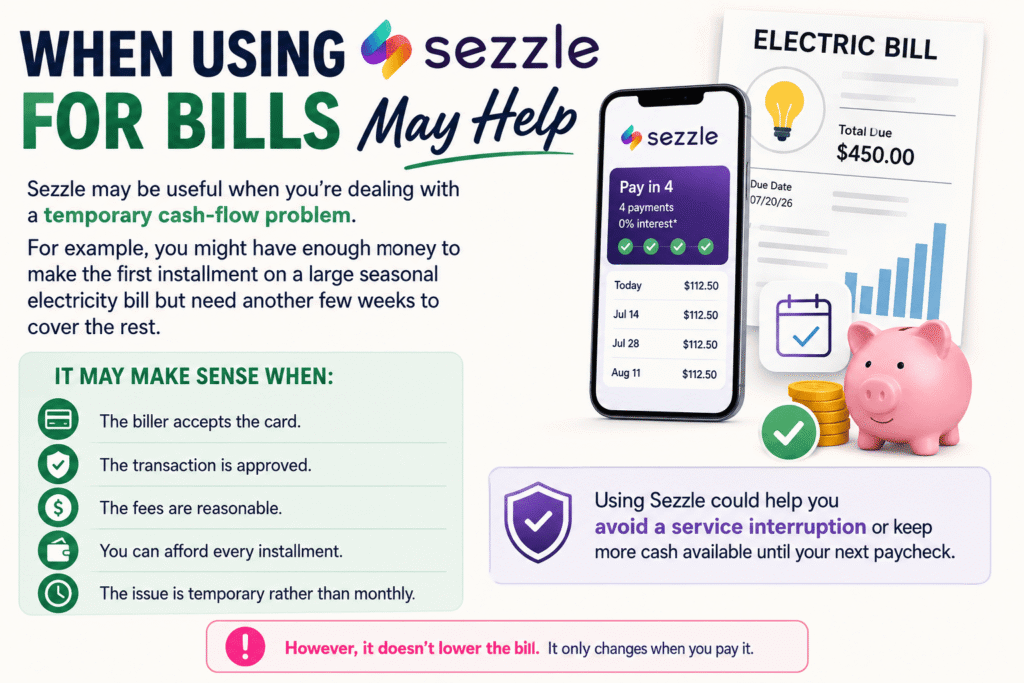
It may make sense when:
- The biller accepts the card.
- The transaction is approved.
- The fees are reasonable.
- You can afford every installment.
- The issue is temporary rather than monthly.
Using Sezzle could help you avoid a service interruption or keep more cash available until your next paycheck.
However, it doesn’t lower the bill. It only changes when you pay it.
Using Sezzle to Free Up Money for Bills
Another option is to use Sezzle for eligible everyday purchases instead of paying a bill with it directly.
For example, you could split the cost of groceries, school supplies, clothing, or household essentials. That may leave more cash in your account for rent or utilities that don’t accept Sezzle.
Using installments for bills can add cost; check Sezzle interest and fees so you know when Sezzle charges extra.
This approach still creates future installment payments, so it isn’t free money. However, it may be more reliable than trying to use a virtual card for a restricted or unsupported bill.
Bottom Line
So, can you use Sezzle to pay bills?
Yes, but only in certain situations.
Some utilities and service providers may accept a Sezzle virtual card, and supported billers such as Consumers Energy provide a clearer path. However, Sezzle isn’t designed for general bill payment, and you can’t use it for credit cards, loans, mortgages, or several other financial obligations.
Check whether the biller accepts Visa, review all fees, and confirm that you can afford the full installment schedule. Sezzle can provide short-term flexibility, but it shouldn’t become the default way you cover recurring monthly bills.
Before you choose a provider, read our Sezzle review guide to compare fees, store coverage, and repayment plans.
FAQs
Can I use Sezzle to pay utility bills?
You may be able to pay certain utility bills with a Sezzle virtual card if the provider accepts Visa payments. Some utility companies also have direct payment options through the Sezzle app.
How does paying a bill with Sezzle work?
You typically enter the bill amount in the app, create an approved virtual card, and use the card details on the provider’s payment page. The balance is then divided according to the repayment plan shown at checkout.
Can Sezzle make a large bill easier to manage?
Yes. Breaking an eligible bill into smaller installments can provide more breathing room than paying the entire amount at once.
Do all bill providers accept Sezzle?
No, acceptance varies by company and transaction type. Checking the biller’s payment options before creating a virtual card can help you avoid a declined payment.
Is Sezzle better for one-time or recurring bills?
It’s generally better suited to one-time payments. Recurring bills may require a new approval or virtual card each month.